IP Camera Bandwidth Calculator: CCTV Storage & Bandwidth Requirements
Calculate bandwidth requirements and storage needs for your IP cameras by entering the details below.
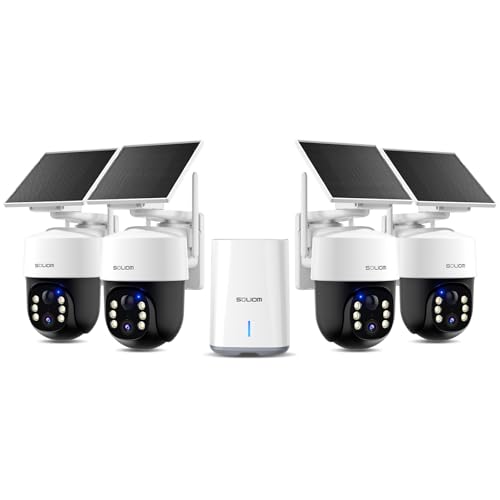
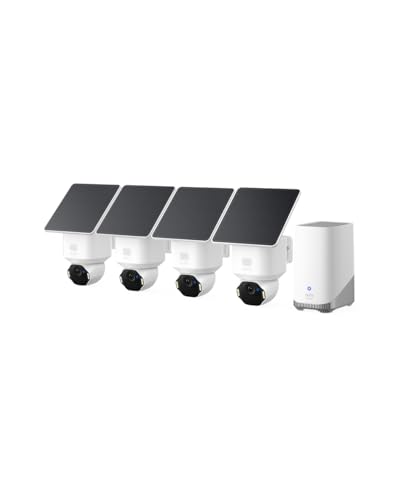
List of the Best Security Camera:




Understanding IP Camera Bandwidth and Storage Requirements
Properly calculating bandwidth and storage requirements is essential for designing effective CCTV and surveillance systems. This guide explains the key factors that influence IP camera bandwidth consumption and storage needs, helping you plan your surveillance infrastructure more effectively.
Key Factors Affecting Bandwidth and Storage
| Factor | Impact on Bandwidth | Impact on Storage | How to Optimize |
|---|---|---|---|
| Resolution | Higher resolution = More bandwidth | Higher resolution = More storage | Choose appropriate resolution for monitoring needs |
| Frame Rate (FPS) | Higher FPS = More bandwidth | Higher FPS = More storage | Reduce FPS for less critical areas |
| Compression | Better compression = Less bandwidth | Better compression = Less storage | Use modern codecs like H.265 or H.265+ |
| Scene Complexity | More motion/detail = More bandwidth | More motion/detail = More storage | Adjust camera placement and settings |
| Recording Mode | Continuous = Maximum bandwidth | Continuous = Maximum storage | Use motion detection or scheduled recording |
Resolution Comparison and Typical Bitrates
Different resolutions require different amounts of bandwidth and storage. Below is a comparison of common resolutions and their typical bandwidth requirements:
| Resolution | Megapixels | Typical Bitrate (H.264) | Typical Bitrate (H.265) | Storage/Day (24h continuous) |
|---|---|---|---|---|
| 480p (SD) | 0.5 MP | 0.5 Mbps | 0.3 Mbps | 5.4 GB |
| 720p (HD) | 1 MP | 1 Mbps | 0.6 Mbps | 10.8 GB |
| 1080p (Full HD) | 2 MP | 2 Mbps | 1.2 Mbps | 21.6 GB |
| 3 MP | 3 MP | 3 Mbps | 1.8 Mbps | 32.4 GB |
| 4 MP | 4 MP | 4 Mbps | 2.4 Mbps | 43.2 GB |
| 4K (8 MP) | 8 MP | 8 Mbps | 4.8 Mbps | 86.4 GB |
Compression Technologies Comparison
Video compression technology has evolved significantly, offering better efficiency in bandwidth and storage utilization:
| Codec | Efficiency Compared to H.264 | Adoption | Best Use Cases |
|---|---|---|---|
| H.264 (AVC) | 1x (Baseline) | Widely adopted | Legacy systems, compatibility |
| H.265 (HEVC) | 1.5-2x | Growing adoption | High resolution cameras, bandwidth-limited networks |
| H.265+ | 2-3x | New technology | Large deployments, cloud storage |
Frequently Asked Questions
How is IP camera bandwidth calculated?
IP camera bandwidth is calculated based on several factors:
- Base bitrate for the resolution (higher resolution = higher bitrate)
- Frame rate (higher FPS = higher bitrate)
- Compression efficiency (H.265 requires less bandwidth than H.264)
- Scene complexity (more motion/detail = higher bitrate)
The formula is:
Bandwidth = (Base Bitrate × FPS/30) / Compression Factor × Scene Complexity
How much storage do I need for my security cameras?
Storage requirements depend on:
- Number of cameras
- Resolution and frame rate of each camera
- Compression technology used
- Recording schedule (continuous vs. motion-activated)
- Retention period (how many days of footage you need to store)
As a general rule, a 1080p camera recording continuously with H.265 compression requires about 21.6GB per day.
What's the difference between H.264 and H.265 compression?
H.265 (HEVC) is about 50% more efficient than H.264, meaning it can deliver similar video quality at half the bitrate. Key differences:
| Feature | H.264 | H.265 |
|---|---|---|
| Compression Efficiency | Good | Excellent (50% better) |
| Processor Requirements | Moderate | High |
| Compatibility | Universal | Growing |
| Best For | Legacy systems | High-res, bandwidth-limited networks |
How does motion detection affect storage requirements?
Motion detection can significantly reduce storage needs by only recording when activity is detected. The actual savings depend on:
- Motion sensitivity settings
- Activity level in the monitored area
- Pre- and post-event recording buffers
In typical office environments, motion-activated recording might reduce storage needs by 50-80% compared to continuous recording.
How can I reduce my IP camera bandwidth usage?
Several strategies can help reduce bandwidth consumption:
- Use more efficient compression (H.265 instead of H.264)
- Reduce frame rate (15 FPS is often sufficient for surveillance)
- Lower resolution where appropriate
- Implement motion-activated recording
- Use substreams for remote viewing
- Adjust bitrate settings and encoding parameters
Best Practices for IP Camera Deployment
Right-size your resolution: Higher resolution isn't always better. Choose resolution based on actual monitoring needs to save bandwidth and storage.
Optimize frame rates: 15 FPS is often sufficient for surveillance. Higher frame rates significantly increase bandwidth and storage needs.
Use modern compression: H.265 or H.265+ can reduce bandwidth and storage requirements by 50% or more compared to H.264.
Implement motion recording: Motion-activated recording can dramatically reduce storage needs in low-activity areas.
Plan for growth: Allow extra capacity in your network and storage for future camera additions or resolution upgrades.
Test before deployment: Verify actual bandwidth usage with your specific cameras and settings before finalizing your infrastructure.
Network Considerations for IP Cameras
| Network Type | Bandwidth Capacity | Camera Capacity (1080p H.265) | Considerations |
|---|---|---|---|
| 100Mbps Ethernet | 100 Mbps | ~80 cameras | Standard for most IP cameras |
| 1Gbps Ethernet | 1000 Mbps | ~800 cameras | For large deployments, backbone links |
| Wi-Fi (802.11ac) | 200-500 Mbps | ~160-400 cameras | Not ideal for critical surveillance |
| 4G LTE | 5-50 Mbps | 4-40 cameras | For remote cameras, high latency |